


 10
10
 Play Now
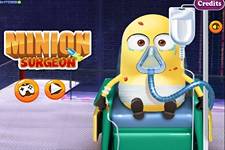
Minion Surgery
 0%
0% 0%
0% Favourite
 Full Screen
 Report
Minion Surgery Online
Your favorite character minion has got a big injury today. He was struggling with a strong pain and rushed directly to your hospital. You are his best friend and also a recognized medical professional, so he trusts on you blindly. Take up the charge of a doctor and be ready to provide him with the complete treatment in Minion Surgery game! We know that you love your friend minion very much, so you would not like to take chance and treat his injuries at the priority level.
Start this brand new doctor game with taking his body go through the basis health-checkups! Check out his temperature, take his blood sample, use the stethoscope to check out his heartbeat, and get him through the x-ray machine! Once you are done, get ready to take him to the operation room and complete his surgery in the given time. Keep your eyes on the screen to check what tool your senior doctor asks you to complete his surgery!
Make sure that surgeon will get the medical equipment on time to make the surgery successful in this one of the best games for girls. You will be given 1 minute to accomplish his surgery. Get ready to move to the next level and conduct some next medical procedure, if you complete it timely. Interact, click and hold and drag the tool with the mouse on computer and do the same with tapping the screen if you explore it on mobile phone. Good luck to try out more html5 surgical games for kids on our website to nourish your doctoring skills
View More
🎮 How to Play Minion Surgery
Playing Minion Surgery is straightforward and engaging. Launch the game using the "Play Now" button above to get started immediately. Navigate your character, vehicle, or game elements through challenges, avoid obstacles, and aim to achieve the maximum score possible. Each level presents fresh obstacles that test your reflexes, strategy, and decision-making skills.
🕹️ Controls Guide
Desktop / Laptop: Mouse / Arrow Keys / WASD
Mobile / Tablet: Touch Screen / Tap & Swipe
⭐ Key Features
⚡ Instant Browser PlayRuns instantly with zero download times or storage footprint.
📱 Cross-Device SupportFully responsive touch and keyboard controls for phones, tablets, and PCs.
🏆 Score ChallengesTrack your personal records and compete for top leaderboard spots.
🔒 Safe & Family-FriendlyEnjoy clean, secure entertainment suitable for players of all ages.
💡 Tips & Strategies for Success
• Master the Controls: Spend the first few rounds familiarizing yourself with input sensitivity and timing.
• Observe the Patterns: Look out for repeating obstacle layouts and enemy behaviors to anticipate moves ahead of time.
• Stay Patient: Rushing often leads to mistakes. Focus on consistency and survival to build up higher multiplier streaks.
❓ Frequently Asked Questions
Can I play Minion Surgery for free on QwikGame?
Yes! Minion Surgery is 100% free to play directly in your web browser on QwikGame.com. There are no fees, subscriptions, or downloads needed.
Can I play Minion Surgery on mobile devices and tablets?
Yes, Minion Surgery is fully optimized for modern HTML5 web browsers and works smoothly across smartphones, tablets, laptops, and desktop computers.
Do I need to download or install Minion Surgery?
No installation, app store download, or special browser plugin is required. Simply tap or click "Play Now" to launch and enjoy the game immediately.
How do I record my score or progress in Minion Surgery?
You can create a free QwikGame account to track your play history, compete on leaderboards, and earn reward coins while playing Minion Surgery.